Using the interface
A handful of keys cover a normal mail day. The quick reference holds the full map; press ? in the client for the live one.
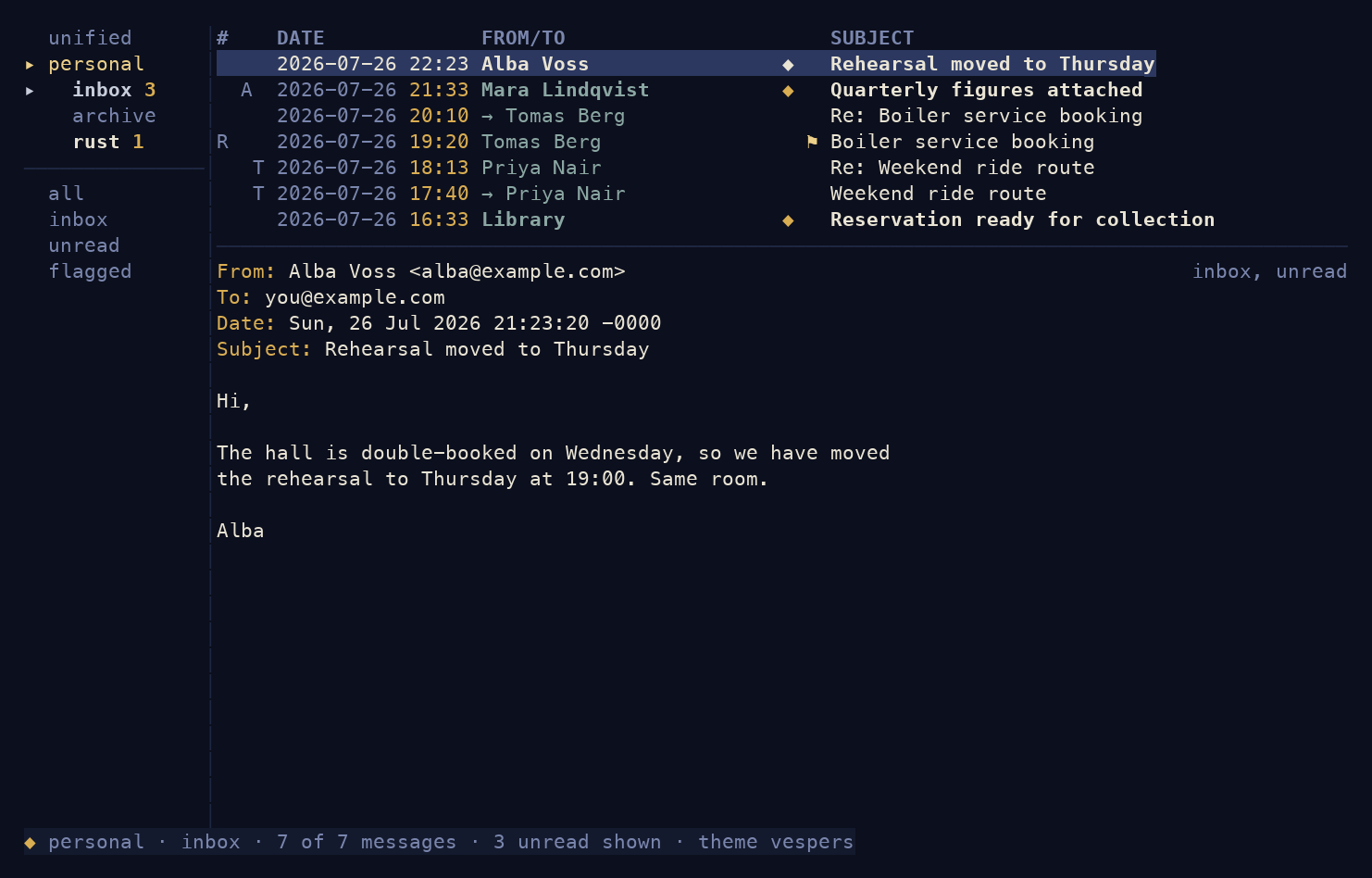
Read
| Key | Does |
|---|---|
| J / K | move down / up |
| Enter | open the selected message |
| J / K | scroll the open message (or mouse wheel) |
| Q | back to the list |
The list's left column: ◆ unread, ⚑ flagged, R
replied, A has attachments, T more of its thread is in
view.
Reply and compose
| Key | Does |
|---|---|
| R | reply |
| Shift+R | reply-all |
| Shift+L | reply to list |
| F | forward |
| N | new message |
After R you land in the header fields (To pre-filled).
Press Ctrl+E to open your $EDITOR on the body; save and
quit to reach the review screen, then Y to send. The
daemon retries if the network is down.
In the To field, start typing a name and Antiphon suggests addresses from your mail history; Tab accepts one.
File
| Key | Does |
|---|---|
| A | archive |
| C | move (opens a folder picker) |
| D | delete |
| M | toggle read / unread |
| Shift+M | mark the whole folder read |
Actions apply at once and queue offline, replaying when the connection returns.
Search
Press / and type a notmuch query:
from:alba invoice
date:2026-06.. attachment:pdf
Search is scoped to what's in view. Move the sidebar with Ctrl+N / Ctrl+P and open a folder or saved search with Ctrl+O; folders with unread mail show a count. The whole query language is in searching mail.
Change the theme
:theme
Lists the seventeen palettes. Switch to one and persist it:
:theme nord
To cycle themes live, use the Essentials tab of :settings
(next page).
Next: more accounts and settings.